

26/11/2026
Age Verification for Online Shopping on mk.iqos.com
Age Verification for Online Shopping on mk.iqos.com
Online shopping is designed to be simple and convenient, while responsible purchasing is an important part of the process.
Our products are intended exclusively for adult users. Therefore, when shopping online on mk.iqos.com, you will need to complete an additional age verification step before proceeding to payment.
The process is simple and can be completed in just a few steps. Follow the steps below to verify your age and complete your order.
Verify Your Age in a Few Simple Steps
Age verification is part of the online shopping process. When you reach this step, follow the on-screen instructions to continue with your order.
1. Choose Your Delivery Method
Once you have selected your products and proceeded with your order, choose your preferred delivery or collection method and continue to the next step.
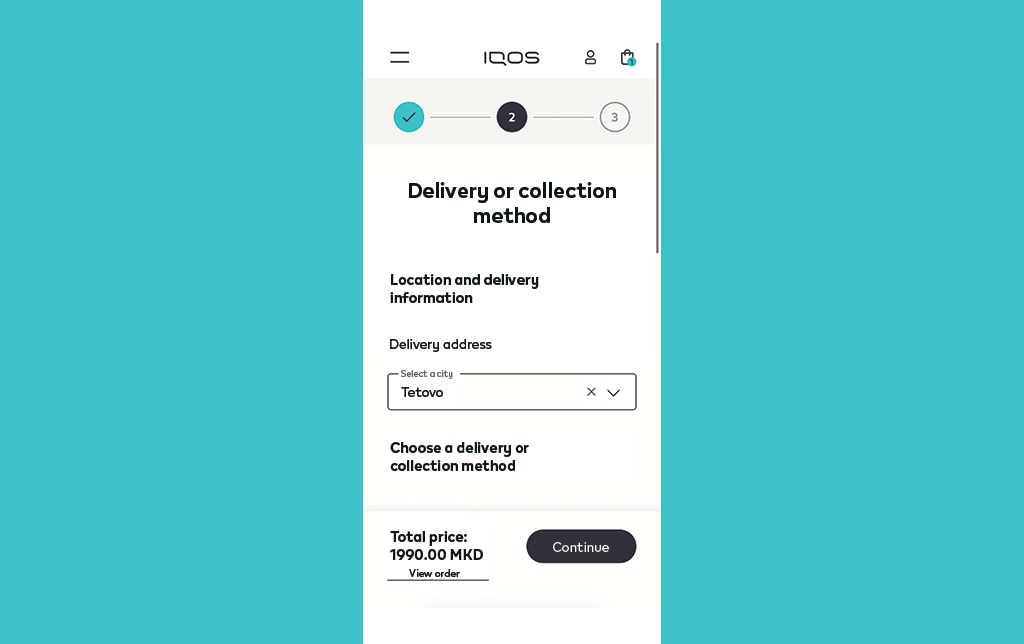
2. Start the Age Verification Process
Before proceeding to payment, you will need to verify your age.
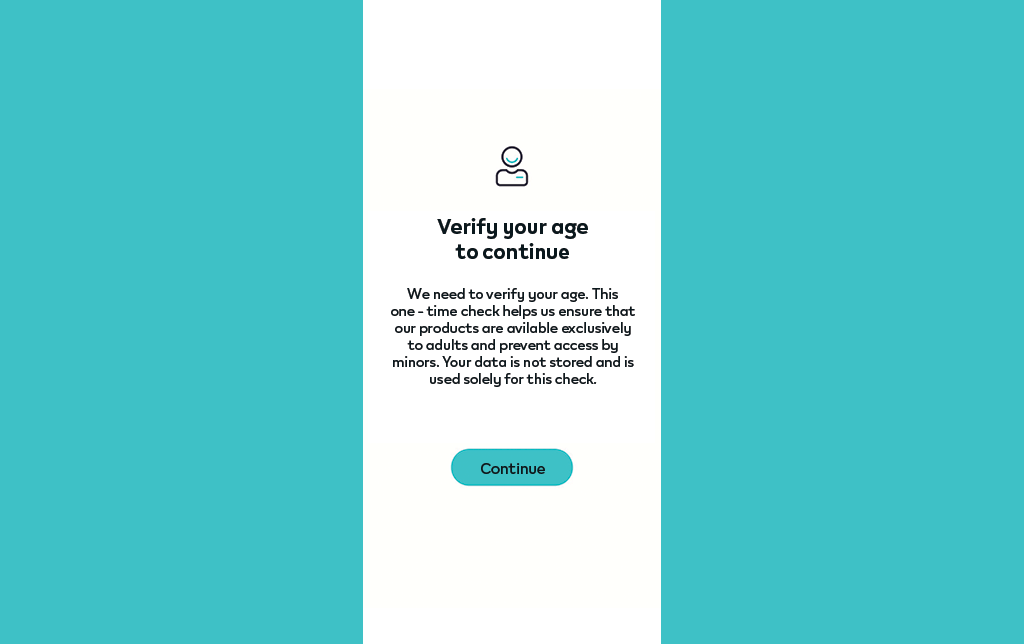
Select "Facial Age Estimation" and continue with the process.
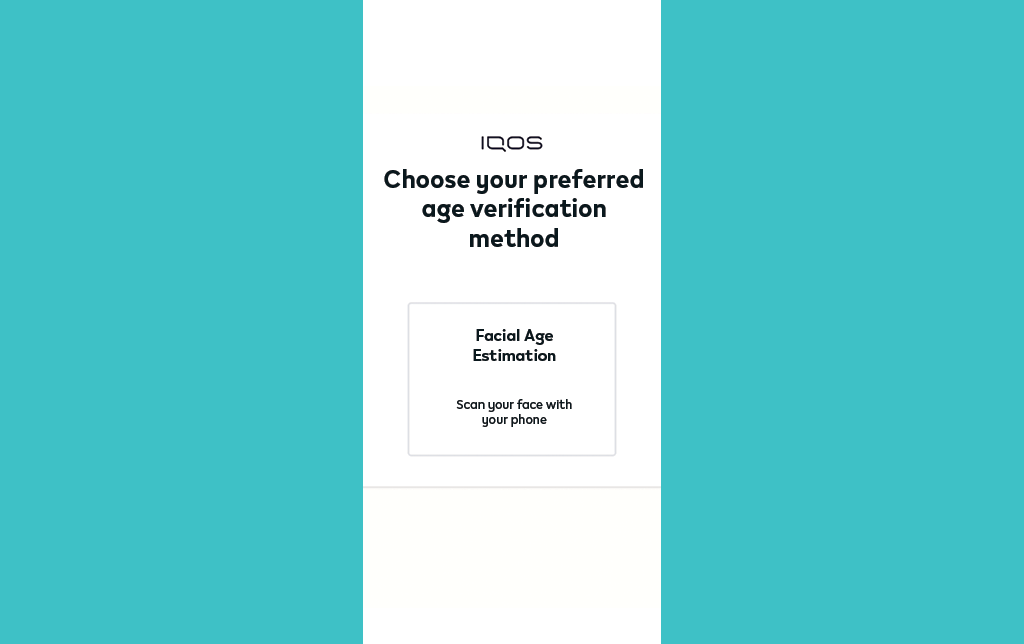
3. Follow the Photo Instructions
Before you begin, you will see a few simple instructions for taking the photo. Make sure you are in a well-lit area and that your face is fully visible.
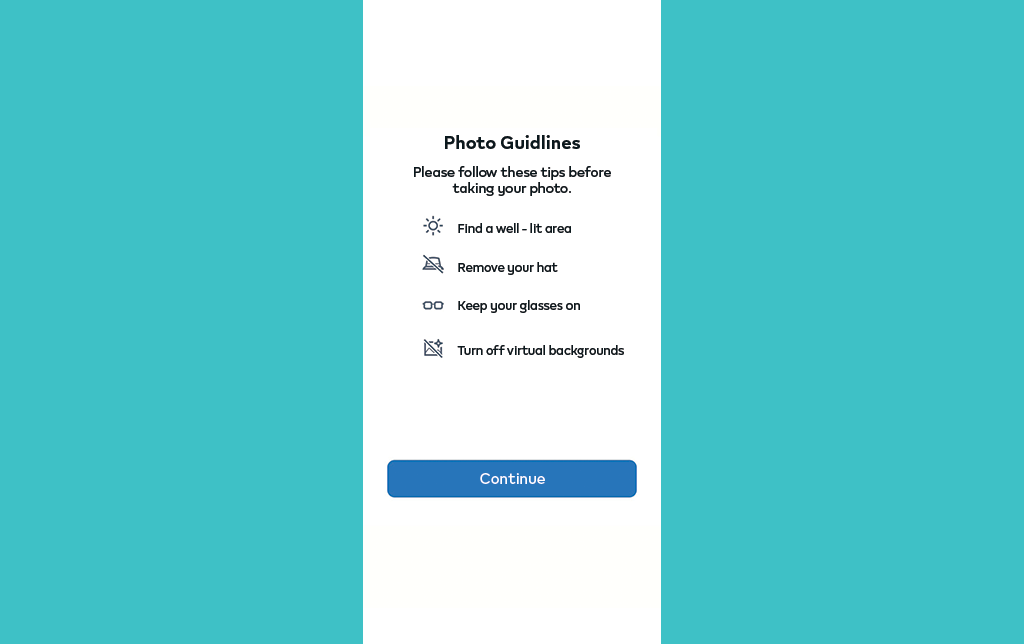
When prompted, allow access to your device's camera.
4. Position Your Face Within the Frame
Position your face within the designated frame on the screen and follow the instructions that appear.
Make sure your face is fully visible and remain within the frame throughout the process.
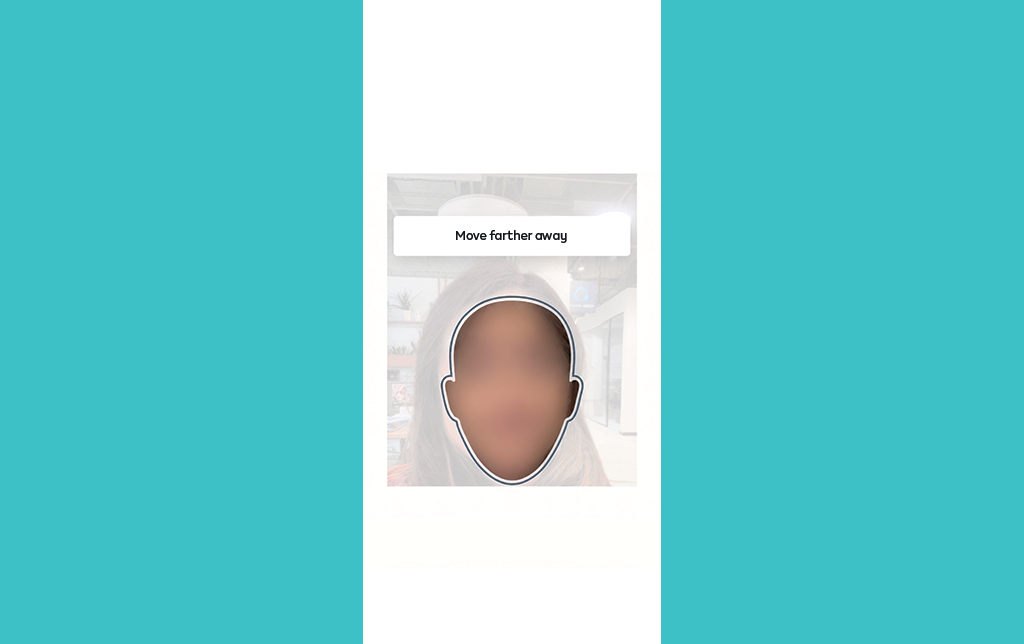
5. Wait a Few Seconds
Once the photo has been taken, the age estimation will be processed automatically. This step takes only a few seconds.

6. Proceed to Payment
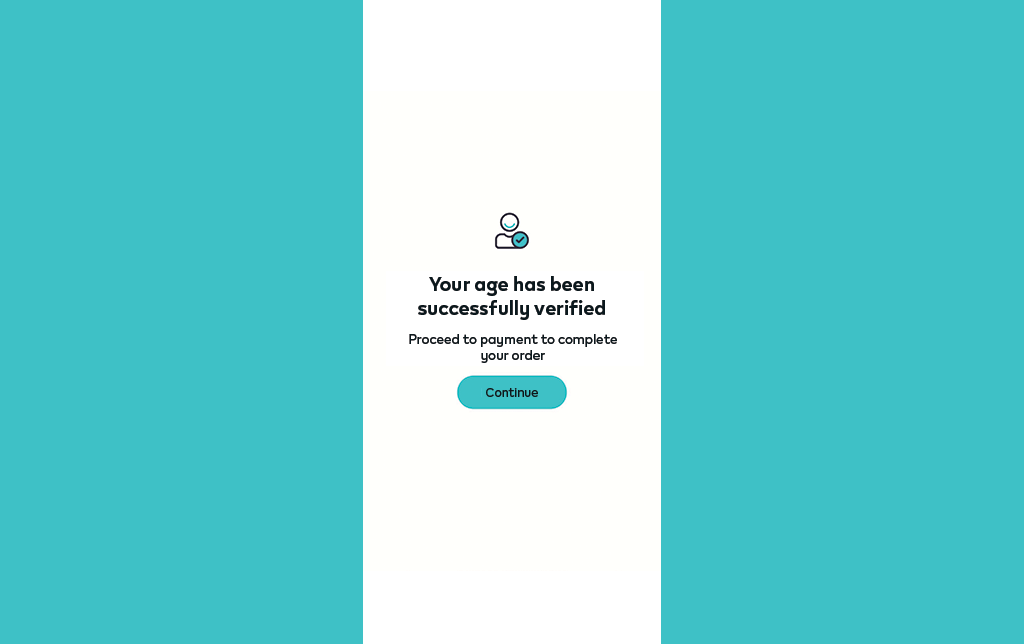
Once your age has been successfully verified, a confirmation message will appear on the screen.
Select "Continue" to proceed to payment and complete your order.
If you need additional assistance with your online purchase, you can contact the IQOS Contact Center at 0800 99 099, where the customer care team will help you complete your order.
Why Is Age Verification Required?
IQOS products are intended exclusively for adult users. The additional age verification step when shopping online helps us ensure responsible access to our products.
The photo taken for age estimation is not stored and is used solely for this verification.
FAQ
Why do I need to verify my age when shopping on IQOS.com?
IQOS products are intended exclusively for adult users. Age verification helps us ensure responsible access to our products.
How do I verify my age?
During the online shopping process, select "Facial Age Estimation" and follow the on-screen instructions. You will need to allow access to your camera and position your face within the designated frame.
How long does age verification take?
The age estimation is processed automatically and takes only a few seconds.
Is the photo taken during age verification stored?
No. The photo taken for age estimation is not stored and is used solely for this verification.
What happens after my age has been successfully verified?
Once your age has been successfully verified, a confirmation message will appear on the screen and you can proceed to payment to complete your order.
What should I do if I need help with my online purchase?
If you need assistance with your online purchase, contact the IQOS Contact Center at 0800 99 099. The customer care team will help you complete the process and your order.
Recent Articles
A Second IQOS ILUMA i Device. For Every Moment of Your Day.
Learn MoreFor a Greener City: Results from the IQOS Circular Program
Learn MoreIQOS is Closer to You: Visit the Mobile IQOS Specialized Stores in Kavadarci and Prilep
Learn More
A privilege that inspires you.
